Habits and goals
Habits
Create habits, choose when they're due, log them and keep your streaks going.
Habits are the small, repeatable actions you do every day or every week. Each habit has a target amount, a schedule and a time of day, and Pattrn tracks your streak and accuracy for it.
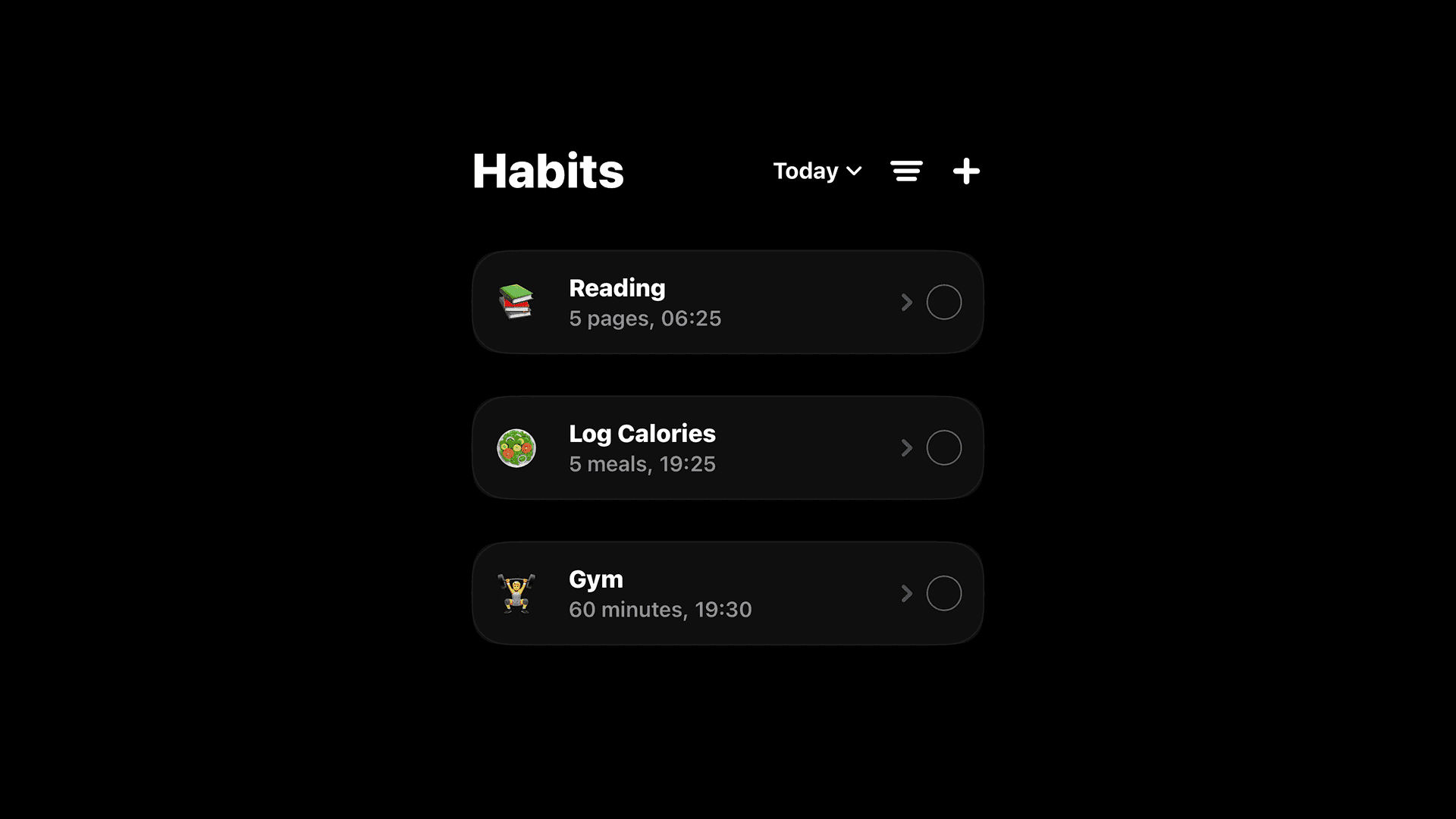
Create a habit
- On the Habits screen, tap +.
- Choose Add manually, or Pick a template to start from a ready-made habit in the Library.
- Fill in the form and tap Save Habit.
As you type a name like "Gym", "Read", "Water" or "Sleep", Pattrn suggests an emoji, amount, unit and time for you. You can change any of them.
Habit settings
Details
- Emoji and Habit Name.
- Link to a Goal: the goal this habit feeds. See Link habits and goals.
- Life Path: Body, Intellect, Career or Life. It decides which area of your Life Path the habit counts towards.
Measurement
- Unit: minutes, hours, steps, pages, km, calories, points, times, workouts, ml, g, flights, or a custom unit.
- Amount: your daily target, such as 10 pages or 30 minutes.
- Apple Health Auto-Log (Pro): fills the habit in from Apple Health instead of logging it by hand. See Apple Health below.
Frequency
- Daily: every day, or every 2 to 30 days.
- Weekdays: only on the days you select.
- Weekly Goal (Pro): a number of times per week, from 1 to 7. The habit stays on your list until you reach the number, once per day, and resets every Monday.
Completion Time
- Time of Completion: Morning, Afternoon, Night or a custom time. Habits are grouped by time of day on your list.
- Enable Notifications: a reminder at that time.
Negative habits
Turn on Negative Habit for something you want to stop, like smoking or doom-scrolling. Instead of a target amount, you check in each day with I did not do or I Relapsed, and your streak counts the days you stayed clean.
Log a habit
- Tap the circle next to a habit to complete it. Tap it again to undo.
- To log a partial amount, open the habit and use − and + under Today's Progress, then tap Log progress.
- With One-Tap Increments turned on in Settings, each tap adds one step instead of completing the habit. Touch and hold the circle for Complete all.
To fill in a day you missed, tap ••• on the Habits screen, choose Select Date, pick the day and tap the habits you did.
Apple Health
With Apple Health Auto-Log, a habit fills itself in from Apple Health. Choose a Metric: Steps, Sleep, Walking + Running Distance, Cycling Distance, Active Calories, Dietary Energy, Protein, Exercise Minutes, Workouts, Stand Minutes, Flights Climbed, Mindful Minutes or Water Intake.
The habit is complete when the metric reaches your target. Dietary Energy works the other way: it's complete when you stay at or under your target. Pattrn asks for permission to read Apple Health the first time you turn this on.
Streaks and accuracy
- Streak: the number of due days in a row you completed the habit. Days the habit isn't scheduled don't break it, and today counts as soon as you complete it. Not having done it yet today doesn't break your streak until the day is over.
- Accuracy: the share of due days you completed since the habit's start date.
Open a habit to see both, along with a month calendar of your history and milestones at day 1, 7, 14, 30, 45 and every 15 days after that.
To start over, open the habit and tap Reset Habit. It clears the streak and progress and restarts the habit today.
Organize your list
Tap ••• on the Habits screen to:
- Show today's habits or all of them.
- Filter by uncompleted, completed or all.
- Switch the Layout between time-of-day sections and your own custom sections (Pro).
- Sort by time of completion or name, or Reorder manually: hold and drag habits, then tap Save.
- Share your day as an image.
Edit or delete a habit
Open the habit and tap Edit. Besides the settings above, you can add a Habit Description and change the Start Date; streaks and accuracy count from that day.
To delete a habit, scroll to Danger Zone and tap Delete Habit. Deleting can't be undone.