Your discipline system, now on your Mac.
Check off habits, log progress and plan with Pattrn AI right from your desk. Everything stays in sync with your iPhone.
Version 3.1.7 · 30.0 MB · macOS 26 or later
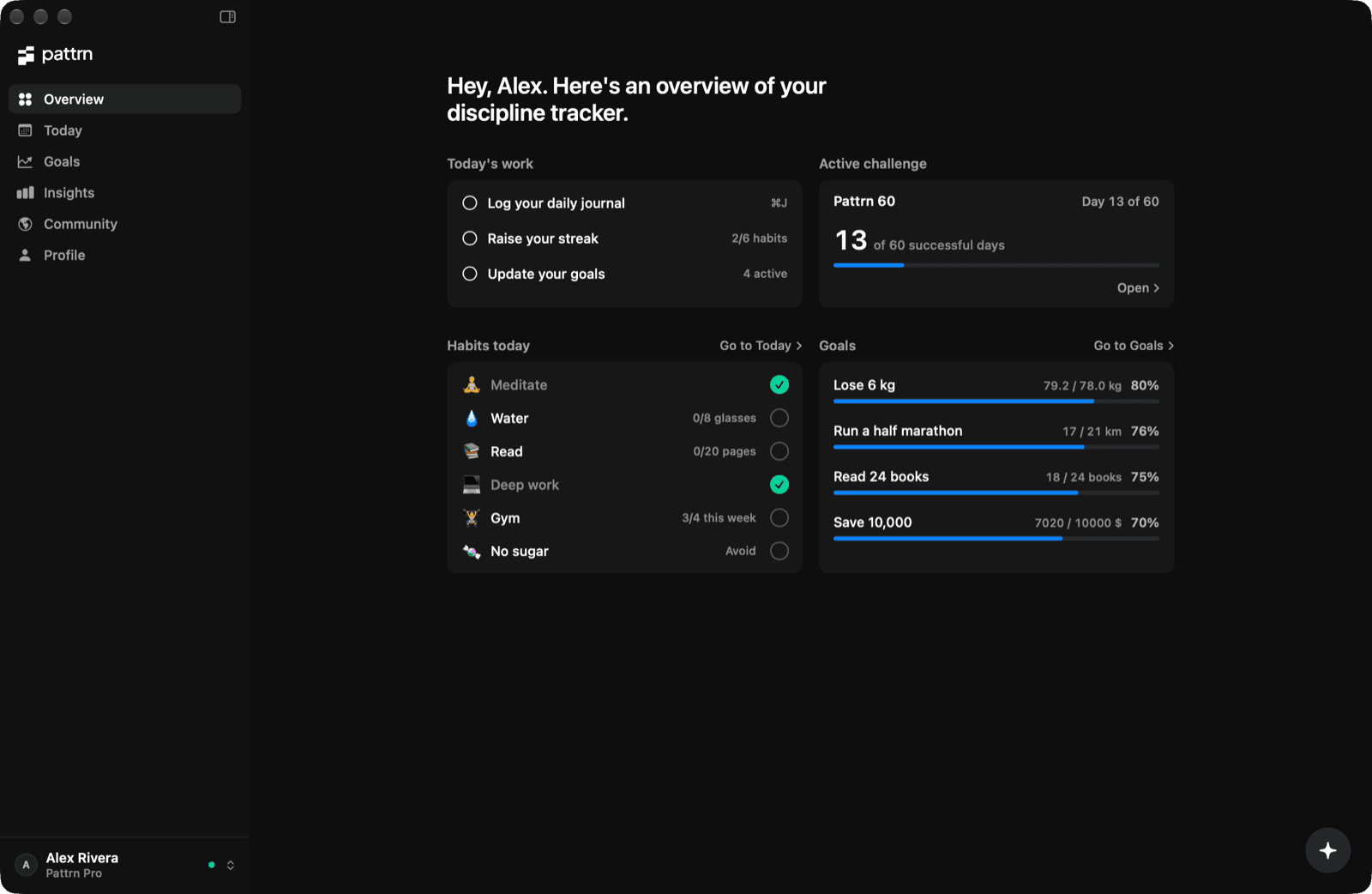
Made for the Mac, not squeezed onto it.
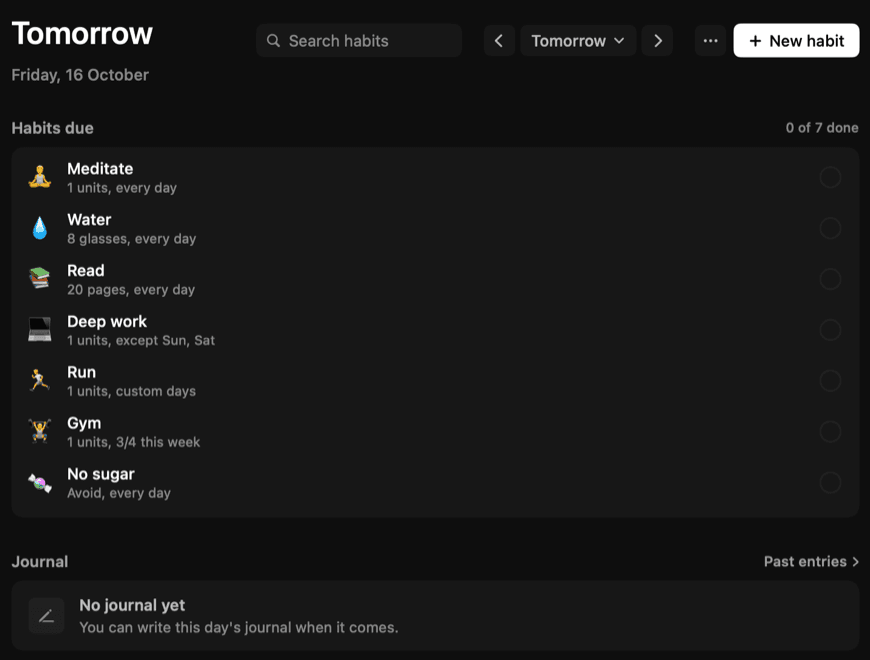
Today and your journal
Check off today’s habits, step back to any past day and write your journal with ⌘J. Every change reaches your iPhone in seconds.
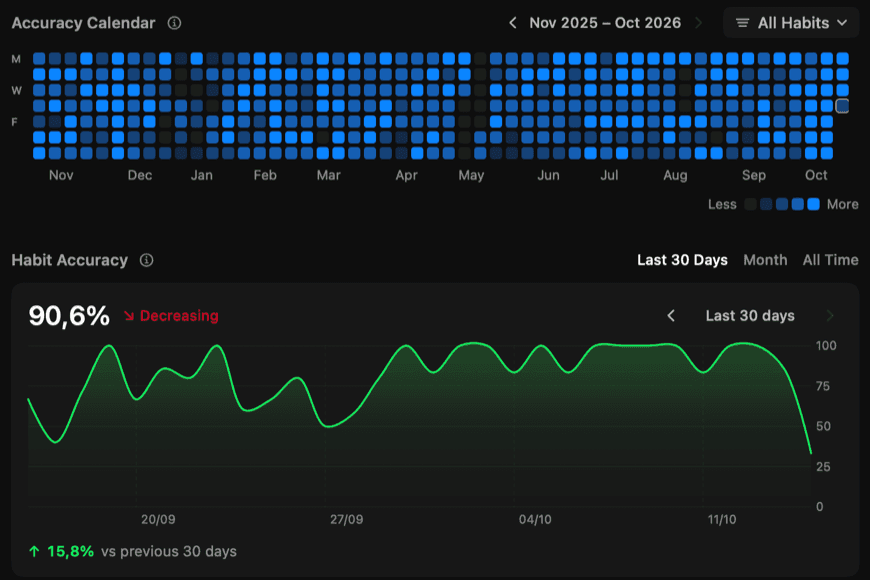
Insights on a big screen
A whole year of accuracy and your last 30 days charted day by day, with room to read them.
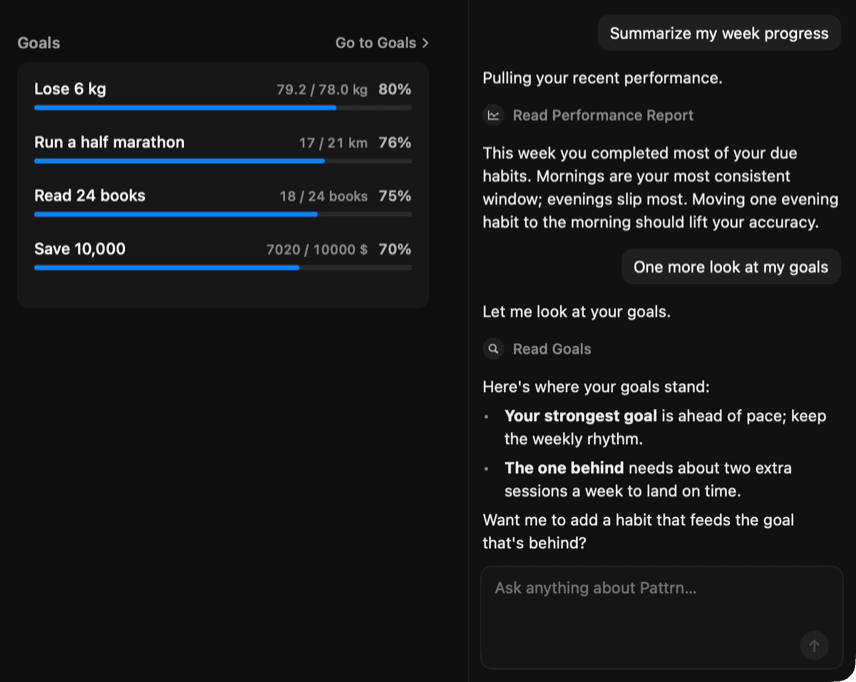
Pattrn AI beside your work
Ask how your goals are going and let the agent add the habit that gets you there.
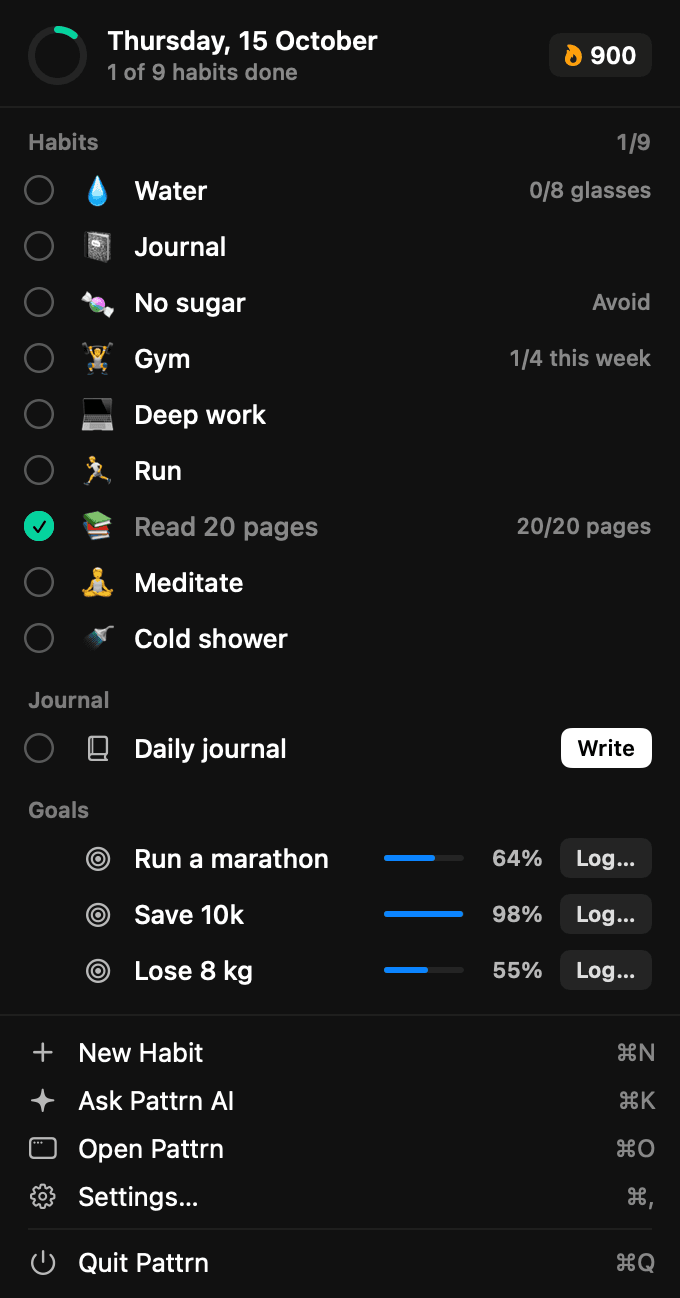
One click from the menu bar
Tick off habits, open today’s journal or log goal progress from the menu bar, without opening the window.
Up and running in a minute.
- 01
Join Pattrn Cloud
Pattrn for Mac works with accounts that live in Pattrn Cloud. Move yours from Settings in Pattrn on your iPhone.
- 02
Download and install
Open the downloaded file and drag Pattrn into your Applications folder.
- 03
Sign in with your iPhone
Scan the code on your Mac with your iPhone and tap Approve. No password needed — Google and email work too.
- Updates itself
- Pattrn checks for updates every day and installs them for you.
- Pro comes with you
- Pattrn Pro from your iPhone works on your Mac too. No second subscription.
- Nothing kept on your Mac
- Your account stays in Pattrn Cloud. The Mac holds it in memory and forgets it when you sign out.
- Native for macOS
- Built for macOS 26 or later, on Apple silicon and Intel Macs.
